

Have you ever logged into Massive Warfare only to find a strange level 1 account instead of your hard-earned progress?
You’re not alone — and we’re here to help you understand why this happens and how to protect your account from being lost forever.
Why Do Players Lose Their Accounts?
We’ve detected that 90% of the cases reported to support about lost accounts are caused by one simple issue:
Multiple game accounts linked to the same device through Google Play or Game Center.
This confuses the system and can make your main account disappear when you log in.
Remember:
Your Massive Warfare account is tied to your Android or iOS account (Google Play or Game Center). Using a different account or creating multiple ones increases the risk of losing access completely.
3 Essential Tips to Keep Your Account Safe
To protect your progress, follow these 3 key rules:
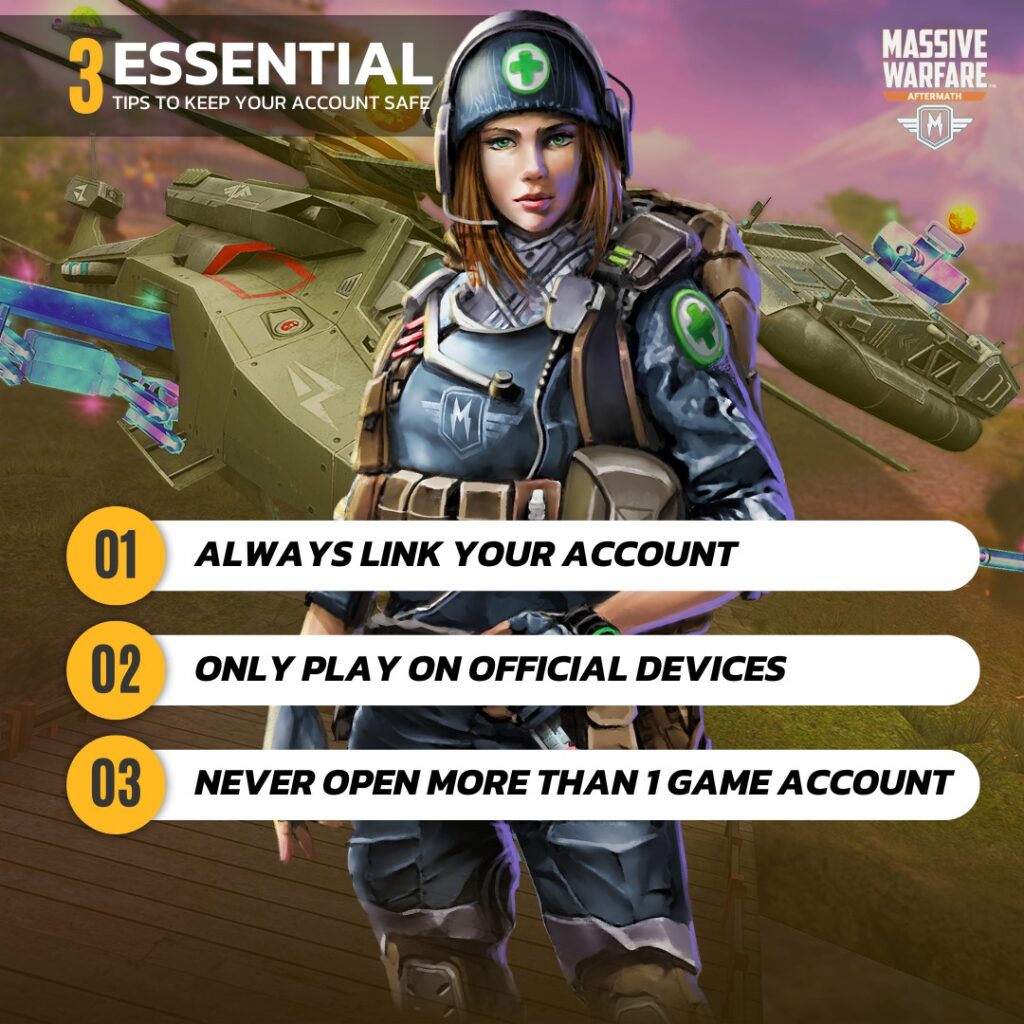
1. Always Link Your Account
Make sure your game is properly linked to your Google Play or Apple ID account. This is the only way to ensure your progress is saved and transferable between devices.
2. Only Play on Official Devices
Avoid playing on devices that don’t belong to you or using emulators. This could put your account at risk.
3. Never Open More Than One Game Account
Creating multiple accounts on the same device is the #1 reason players lose access. Stick to one account to keep your data safe.
Pro Tip:
Write down your USER ID and keep it in a safe place. This is the only information that can help our support team recover your account if needed.
Don’t Buy or Sell Accounts
We’ve received reports of players purchasing accounts from third-party sites. This is extremely risky because:
- You could lose access at any time.
- We cannot provide support for accounts purchased from unauthorized sellers.
- You risk getting the account permanently banned.
We do not sell game accounts on any platform.
Lost Your Account? Here’s How to Recover It
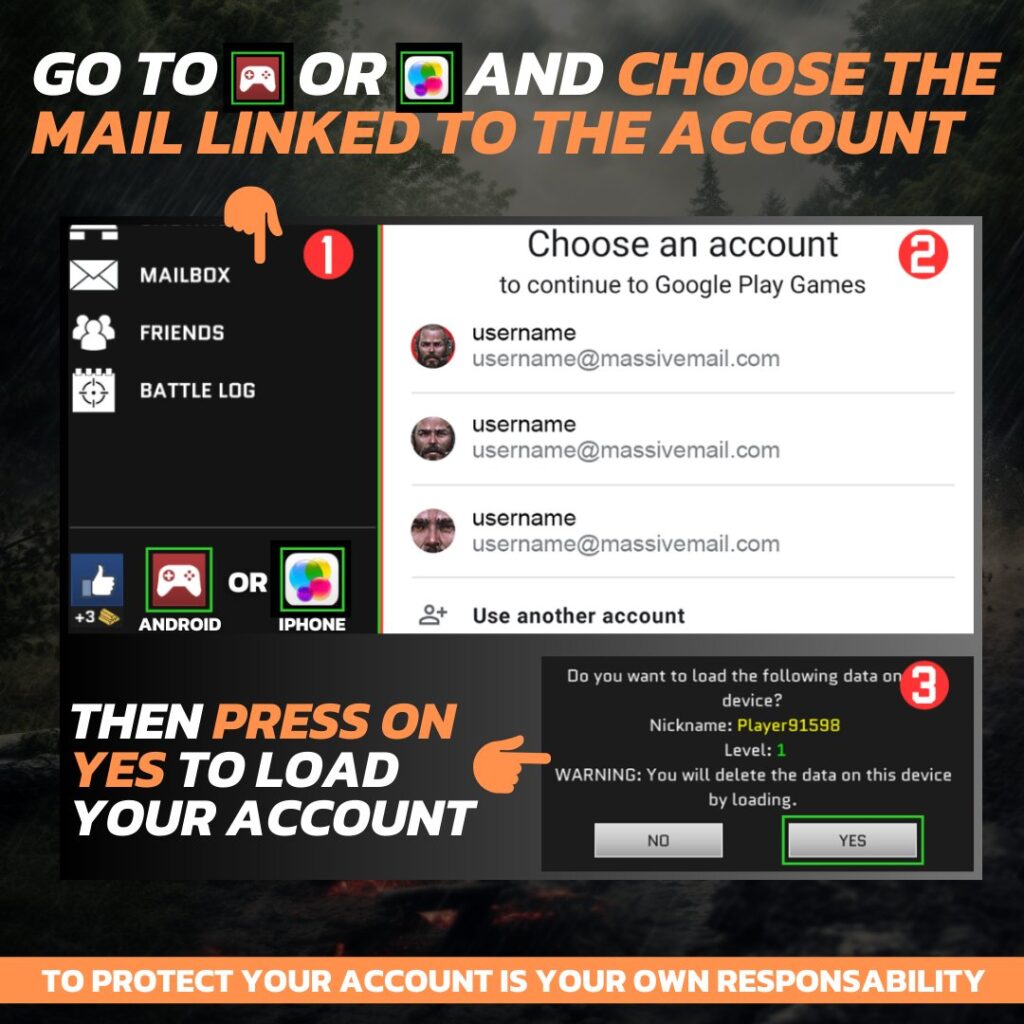
Don’t panic! If you’ve lost your account, you can usually restore it by:
- Opening the game.
- Tap the small red controller icon (Google Play) or Game Center icon (iOS) on the main screen.
- Select your linked account and confirm.
Important:
- This method only works if your game was previously linked to your Google Play or Apple ID.
- Once Again: Always know and write down your USER ID. If automatic recovery fails, this is the only way our support team can help you.
Final Thoughts
Keeping your account safe is your responsibility. By following these simple rules, you can ensure your progress stays secure and avoid unnecessary stress.
Stay safe, Commander!
The Massive Warfare Team