

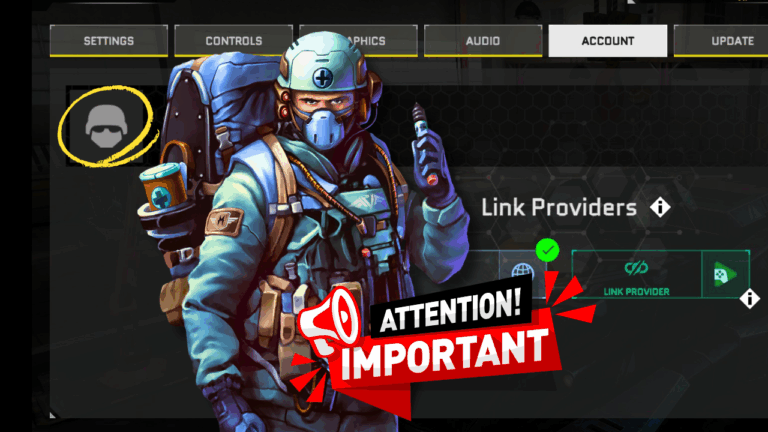
We’ve updated the way you log in and link your account to make it easier and clearer for everyone, especially new players.
Reminder: Massive Warfare does not support multiple accounts. Please make sure you only have one active account in the game. Also, we do not support the use of VPN. To avoid login issues or connection problems, always play on an official device without a VPN enabled.
What’s New
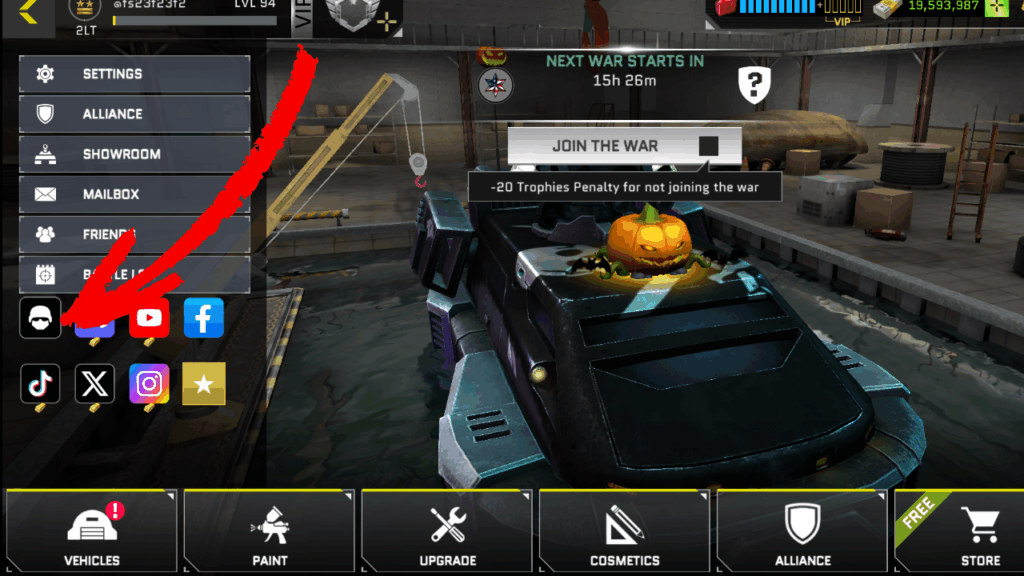
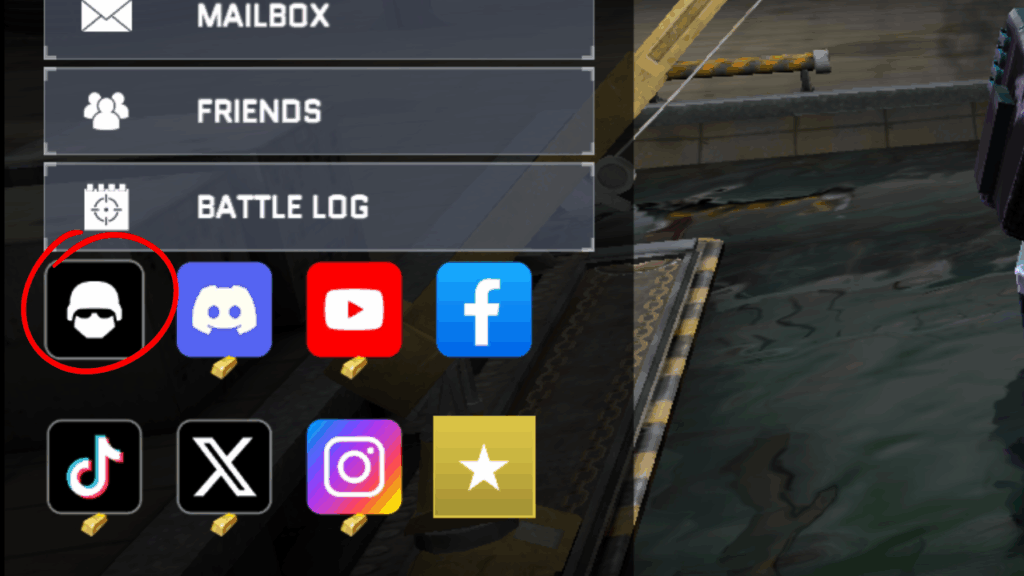
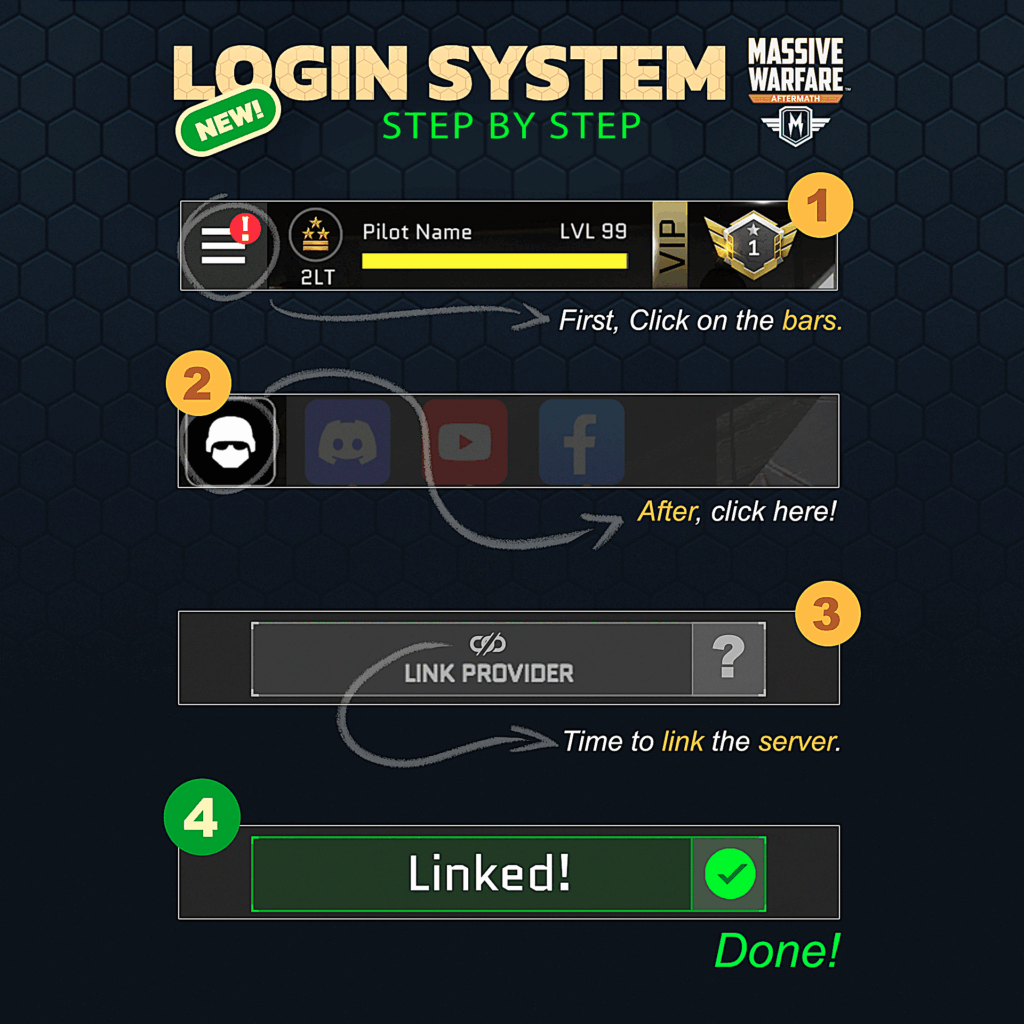
- The controller icon on the home screen has been replaced by a helmet icon.
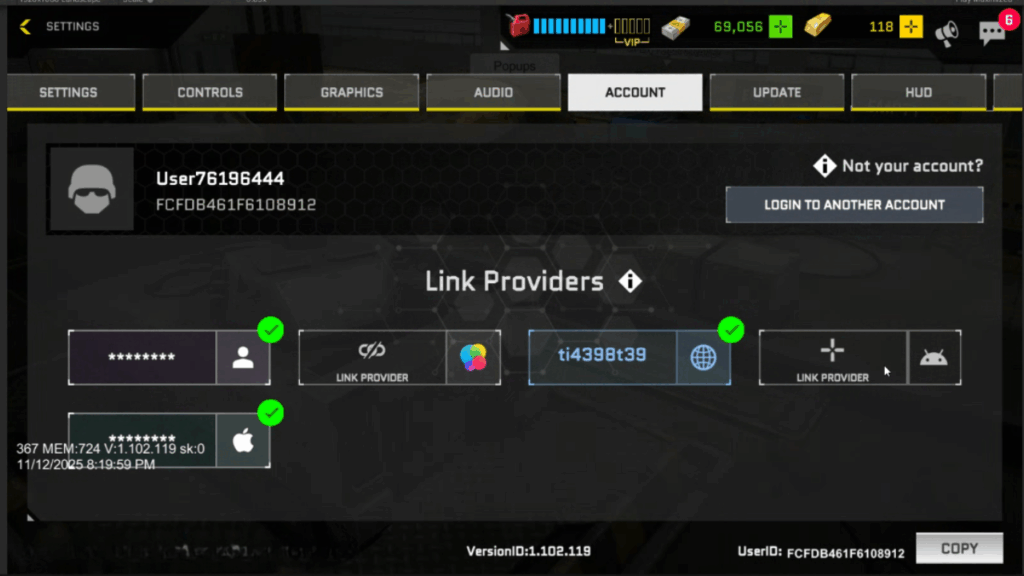
- When you tap it, you’ll enter a new Account Link section.
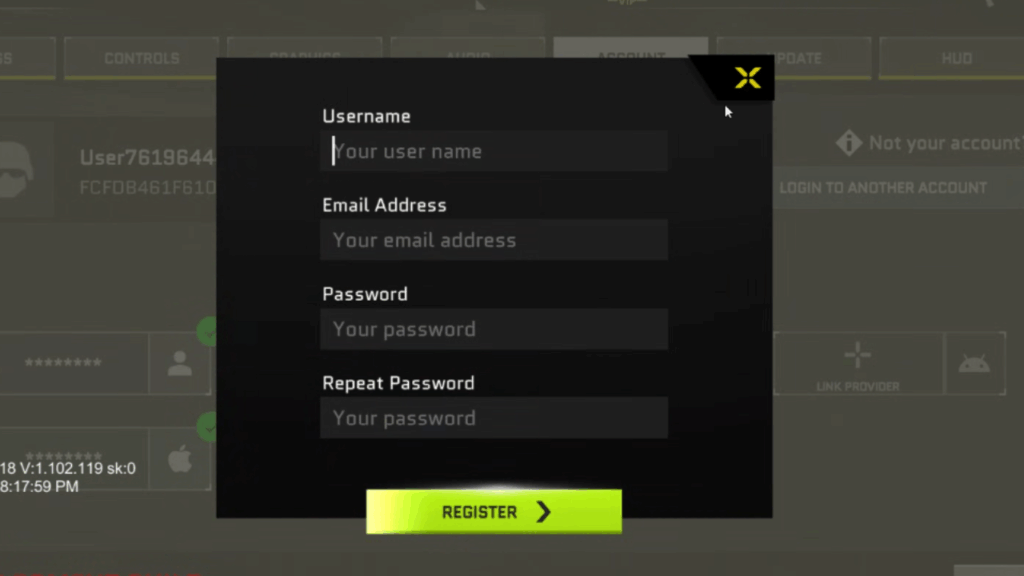
- There, you can link your account to different providers to keep your progress safe.
How It Works
- On Android, you’ll see Google and Email options.
- On iOS, you’ll see Email and Game Center.
👉 These options are for linking your account, not for direct login inside this screen.
Important Notes
- Once your account is linked, you cannot switch accounts from this screen.
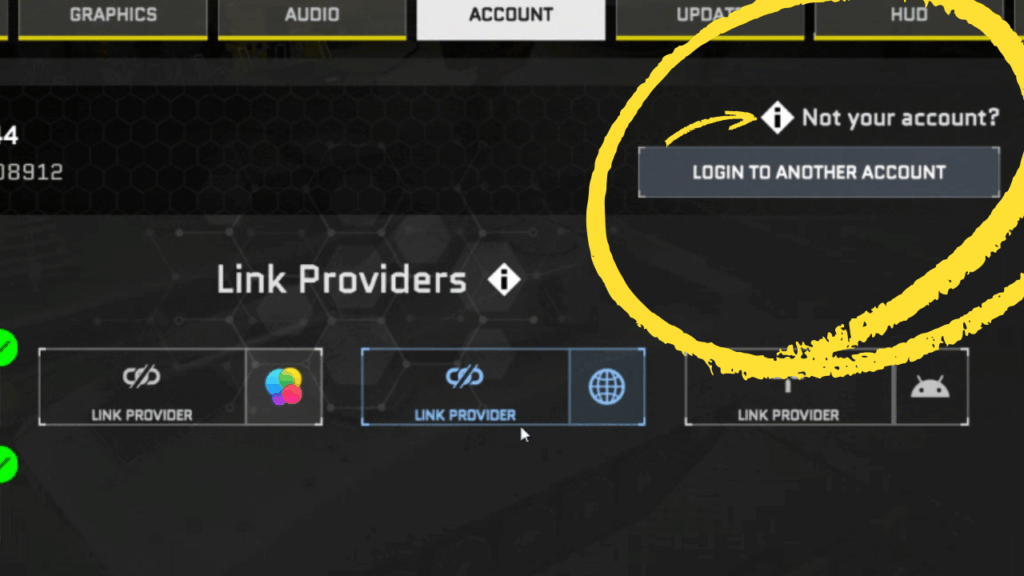
- If you need to log in with another account, tap “This is not my account” at the top, then choose “Login with another account.”
- From there, select your provider (for example: Apple or Game Center on iOS, Gmail or Google Play Games on Android).
🎮 Update for Google Play Games 2 Users
Google has recently updated Google Play Games to version 2, changing how players log in or change their accounts.
Previously, you could choose or switch accounts freely while playing Massive Warfare.
Now, Google Play Games 2 automatically logs you in when you launch the game — and you can’t switch accounts during that session.
This behavior is now similar to Steam or Apple Game Center.
Remember that Massive Warfare is designed for one single account per player.
If Google Play Games logs you into the wrong or a new account, you won’t be able to switch it from inside the game.
Here’s what to do:
- Exit the game completely.
- On your Android device, press and hold the Massive Warfare icon.
- Tap “Choose Profile.”
- Select the correct profile that matches your game account.
- Once selected, open the game again to access the right account.
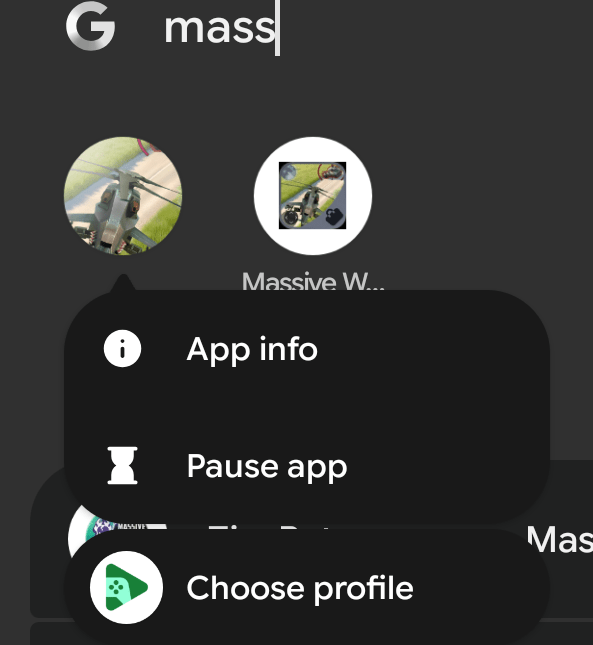
If you don’t see the “Choose Profile” option when pressing the game icon, you can also change your Google Play Games account directly through your device settings:
- Go to your device Settings → Google Play Games → Set my account, and choose the correct account you want to use.
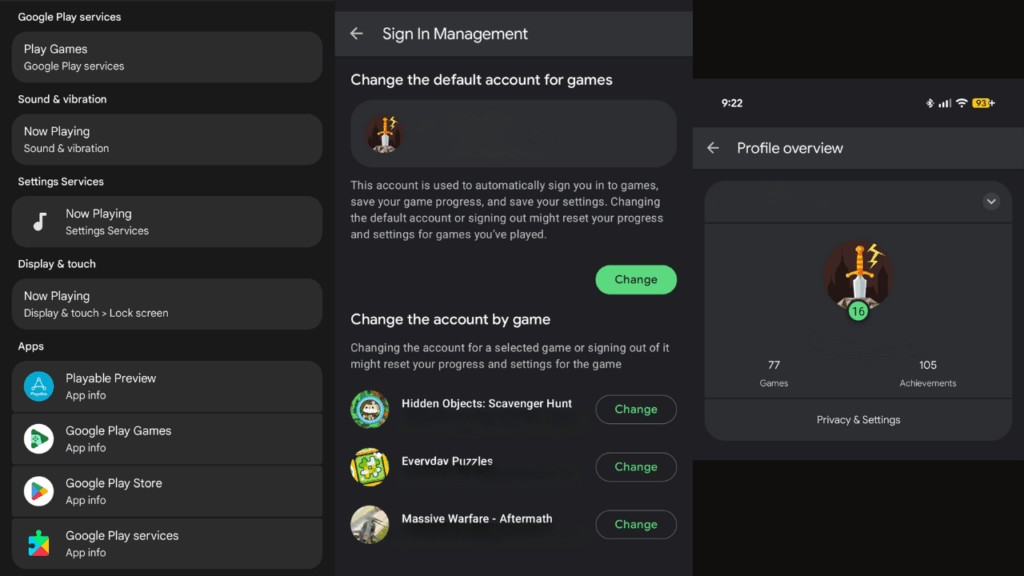
For more details, check the official Google support page here:
🔗 https://support.google.com/googleplay/answer/14754238
This applies only to Google Play Games users who have more than one Google account linked to their device.
⚙️ Gradual Rollout
All these login and linking improvements are being introduced gradually to all players starting today.
The Massive Warfare Team